
Download Anime from https://anikoto.tv/

Project description
🌀 Anikoto Downloader
Download anime from
anikoto.tv/anikoto.bz/anikoto.net/anikoto.cz
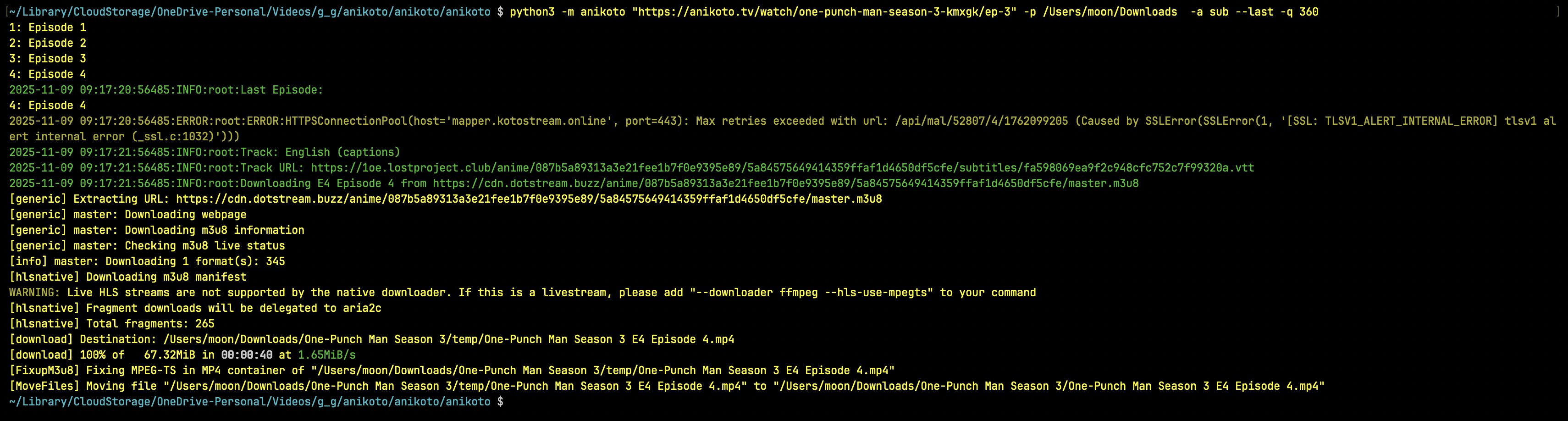
Screenshot


Installation
Install from Pypie
python3 -m pip install anikoto
Install from Github
python3 -m pip install git+https://github.com/testingbetaversion/anikoto.git
Usage/Examples
anikoto https://anikoto.tv/watch/one-piece-odmau -p /Users/Downloads -a sub --range 1129-1129
anikoto "https://anikoto.tv/watch/solo-leveling-ilh08/ep-1"
anikoto "https://anikoto.tv/watch/frieren-beyond-journey-s-end-c6fbj/ep-1" -p /Users/Downloads
anikoto "https://anikoto.tv/watch/bottom-tier-character-tomozaki-2nd-stage-0et8i" -p /Users/Downloads
Default Audio is Dub Subs for sub/dub will be downloaded by default
help
 $ anikoto --help
usage: anikoto [-h] [--version] [--debug] [--quality {2160,1440,1080,720,480,360}] [--audio {sub,dub}]
               [--downloader {yt-dlp,N_m3u8DL-RE,ffmpeg}] [--subtitles] [--list] [--last] [--path PATH] [--range RANGE]
               url

Anikoto (https://anikoto.tv/) Downloader

positional arguments:
  url                   Video Url like: https://anikoto.tv/watch/solo-leveling-ilh08/ep-1

options:
  -h, --help            show this help message and exit
  --version, -v         show program's version number and exit
  --debug               Enable debug mode
  --quality, -q {2160,1440,1080,720,480,360}
                        Choose a Quality
  --audio, -a {sub,dub}
                        Download Audio
  --downloader, -d {yt-dlp,N_m3u8DL-RE,ffmpeg}
                        Downloader
  --subtitles, -ss      Download Subs
  --list                List Episodes
  --last                Only Download Last Episode
  --path, -p PATH       path to save the file
  --range, -r RANGE     Specify episode range (e.g. 1-5) if you want to download only episode 1129 use 1129-1129

Example usage: python3 anikoto.py OPTIONS URL
❤️ Thanks
This project was made with love. If it has helped you, a ⭐ on GitHub would be greatly appreciated.
Release history Release notifications | RSS feed


Download files
Download the file for your platform. If you're not sure which to choose, learn more about installing packages.
Source Distribution
anikoto-4.0.0.tar.gz
(7.5 kB
view details)
Built Distribution
Filter files by name, interpreter, ABI, and platform.
If you're not sure about the file name format, learn more about wheel file names.
Copy a direct link to the current filters
File details
Details for the file anikoto-4.0.0.tar.gz.
File metadata
- Download URL: anikoto-4.0.0.tar.gz
- Upload date:
- Size: 7.5 kB
- Tags: Source
- Uploaded using Trusted Publishing? No
- Uploaded via: twine/6.2.0 CPython/3.14.3
File hashes
| Algorithm | Hash digest | |
|---|---|---|
| SHA256 |
1e68d67a00ee0af8a52fb9bbd50a33926feba8cbb3439cc3ea8ca4d76fa23a51
|
|
| MD5 |
45dc1e42b179d619148737c24fa4d7c5
|
|
| BLAKE2b-256 |
dfbe3c51125f0687510f0bd3beacbabc56feae7bc90630be7562b886140bb09f
|
File details
Details for the file anikoto-4.0.0-py3-none-any.whl.
File metadata
- Download URL: anikoto-4.0.0-py3-none-any.whl
- Upload date:
- Size: 7.4 kB
- Tags: Python 3
- Uploaded using Trusted Publishing? No
- Uploaded via: twine/6.2.0 CPython/3.14.3
File hashes
| Algorithm | Hash digest | |
|---|---|---|
| SHA256 |
d4be2da026324e9231928b275e0c3bc6eb0ba7805f10a18b0a4f6c4253a5e0cc
|
|
| MD5 |
061109788e1bd4b11b9ee2cce1d09dd8
|
|
| BLAKE2b-256 |
71d1aa1b80fcd6c356c8a3f03e536d33116a15745120dd09ffd0462db678a106
|






