
Flexible dotplotting of genomic sequences.


Project description




FlexiDot: Highly customizable, ambiguity-aware dotplots for visual sequence analyses

FlexiDot is a cross-platform dotplot suite generating high quality self, pairwise and all-against-all visualizations of transposons and other discrete sequences.
To improve dotplot suitability for comparison of consensus and error-prone sequences, FlexiDot supports strict (k-mer based) and relaxed handling of mismatches and ambiguous residues, as well as plotting of pre-computed alignments (i.e. from BLAST or Nucmer).
The custom shading modules facilitate dotplot interpretation and feature identification by adding information on feature annotations and sequence similarities to the images.
Combined with collage-like outputs, FlexiDot supports simultaneous visual screening of large sequence sets, allowing dotplot use in routine screening workflows.
Citation
If you use FlexiDot in your research, please cite us:
Kathrin M. Seibt, Thomas Schmidt, and Tony Heitkam (2018) "FlexiDot: Highly customizable, ambiguity-aware dotplots for visual sequence analyses". Bioinformatics 34 (20), 3575–3577, doi: 10.1093/bioinformatics/bty395 - Read article
FlexiDot versions and updates

Current version (Jan 2026): FlexiDot v2.1.0
For an overview of FlexiDot version updates please see the code history.
Documentation
- In depth documentation (This readme gives an overview, and more detail is in the documentation.)
- Parameter cheat sheet v1.0.6
- Artificial test sequences used for the examples
- Example: Adding annotation-based shading to a dotplot
- Presentation slides introducing dotplots and our FlexiDot tool
Implementation
FlexiDot is implemented in Python 3, with dependencies:
You can create a Conda environment with these dependencies using the YAML file in this repo.
conda env create -f environment.yml

conda activate flexidot
After activating the flexidot environment you can use pip to install the latest version of Flexidot.
Installing Flexidot
Installation options:
Install from PyPI (recommended):
pip install flexidot
Install from bioconda:
conda install -c bioconda flexidot
pip install the latest development version directly from this repo.
pip install git+https://github.com/flexidot-bio/flexidot.git
Test installation.
# Print version number and exit.
flexidot --version

# Get usage information
flexidot --help
Setup Development Environment
If you want to contribute to the project or run the latest development version, you can clone the repository and install the package in editable mode.
# Clone repository
git clone https://github.com/flexidot-bio/flexidot.git && cd flexidot

# Create virtual environment
conda env create -f environment.yml

# Activate environment
conda activate flexidot

# Install package in editable mode
pip install -e '.[dev]'

# Optional: Install pre-commit hooks
pre-commit install
Use FlexiDot
Processing fasta files
Flexidot accepts one or more uncompressed fasta files as input. The files can contain multiple sequences.
By default, Flexidot will use shared k-mers between sequence pairs to generate the dot-plot.
# Use individual fasta file (can contain multiple sequences)
flexidot -i input.fasta [optional arguments]

# Use multiple fasta files
flexidot -i input1.fasta input2.fasta [optional arguments]

# Use all fasta files in current directory
flexidot -i *.fasta [optional arguments]
Optional arguments are explained below and in detail with the --help option.
Importantly, -k defines the word size (e.g. -k 10) and -t specifies the sequence type (-t nuc for DNA [default]; -t aa for proteins). The plotting mode is chosen via -m and described below.
Processing pre-computed alignments
Flexidot can also process pre-calculated alignments from tools such as blastn, nucmer, or minimap2.
This approach is often faster than k-mer indexing and is tolerant of gaps and mismatches.
See pre-calculated alignment tutorial for detailed examples.
# Run BLASTN with output format 6
blastn -query sequence.fasta -subject sequence.fasta -outfmt 6 -out alignments.blast6 \
-word_size 4 -evalue 1e-3 -perc_identity 60.0 -max_target_seqs 10000

# Plot alignments
flexidot -i sequence.fasta -m 2 -a alignments.blast6 -o blast_dotplot

### Using Nucmer

# Self-alignment with nucmer (use --nosimplify for repeats in self alignments)
nucmer --maxmatch --nosimplify --minmatch 15 --mincluster 20 --diagfactor 0.3 \
--prefix self_align sequence.fasta sequence.fasta

# Convert directly using paftools (if installed with minimap2)
paftools.js delta2paf self_align.delta > self_align.paf

# Plot alignments
flexidot -i sequence.fasta -a self_align.paf -o nucmer_dotplot
Plotting modes
FlexiDot allows sequence investigation in three run modes via the option -m/--mode:
-m 0 self sequence comparison
-m 1 pairwise sequence comparison
-m 2 all-to-all sequence comparison
To run multiple plotting modes, call the option multiple times i.e. -m 0 -m 1 -m 2.
Self dotplots
with -m/--mode 0
In self dotplot mode, each sequence is compared with itself. The resulting dotplots can be combined to form a collage (with --collage) or written to separate files.

# A single sequence compared to itself
flexidot -i Seq2.fasta -m 0 -k 10 -P 15

# Single sequence with annotations
flexidot -i Seq2.fasta -m 0 -k 10 -P 15 -g example.gff3 -G gff_color.config

# Collage of 6 sequences each compared to themselves with Seq2 annotated (shown above)
flexidot -i test-seqs.fasta -m 0 -k 10 --n_col 6 -P 15 -g example.gff3 -G gff_color.config --collage
Pairwise comparisons
with -m/--mode 1
For pairwise dotplots, the collage output is recommended for larger numbers of sequences. The collage output of the 15 pairwise dotplots for the test sequences is shown below. By default, dotplot images are in square format (panel A). This maximizes the visibility of matches, if the compared sequences differ drastically in length. To enable scaling according to the respective sequence lengths, the FlexiDot scaling feature is callable via option -L/--length_scaling (panel B). If scaling is enabled, a red line indicates the end of the shorter sequence in the collage output.
Pairwise comparisons can be limited to only pairs that contain the first sequence in a fasta file using --only_vs_first_seq.

# Panel A
flexidot -i test-seqs.fasta -m 1 -k 10 --n_col 3 -c
# Panel B (with length scaling)
flexidot -i test-seqs.fasta -m 1 -k 10 --n_col 3 -c -L
All-against-all comparisons
with -m/--mode 2
In all-against-all mode, FlexiDot compares each pair from a set of input sequences. To enable the identification of long shared subsequences at a glance, FlexiDot offers similarity shading (switched on/off via option -x/--lcs_shading) based on the LCS length in all-against-all comparisons (see below).

# All-by-all plot, LCS shading using maximal LCS length
# -y/--lcs_shading_ref: 0 = maximal LCS length
# -x/--lcs_shading
flexidot -i test-seqs.fasta -m 2 -k 10 -y 0 -x
Major features
Mismatch and ambiguity handling
In diverged or distantly related sequences matches may be interrupted by mismatches, or residues might be represented as ambiguities to refer to frequent variants or mutations. Similarly, relaxed matching is helpful when analyzing error-prone sequences like SMRT reads. Relaxation of the matching conditions thus increases sensitivity, while decreasing specificity.
Firstly, FlexiDot handles ambiguous residues, often found in consensus sequences. This allows the comparison of species-specific representations of multigene or repeat families as well as common variants or sequence subfamilies. The ambiguity handling is controlled via-w/--wobble_conversion.
Secondly, a defined number of mismatches within the window can be allowed with -S/--substitution_count [number of allowed mismatches (substitutions)]. This is even less stringent than the ambiguity handling. Please note, that only substitution mutations are allowed but not indels.
Lastly, both mismatch and ambiguity handling can be combined for the analysis.

# Mismatch tolerance -S
#Panel tl
flexidot -i Seq1.fasta Seq4.fasta -m 1 -k 10
#Panel tm
flexidot -i Seq1.fasta Seq4.fasta -m 1 -k 10 -S 1
#Panel tr
flexidot -i Seq1.fasta Seq4.fasta -m 1 -k 10 -S 2

# Wobble -w (tolerate ambiguities)
#Panel bl
flexidot -i Seq1.fasta Seq4.fasta -m 1 -k 10 -w
#Panel bm
flexidot -i Seq1.fasta Seq4.fasta -m 1 -k 10 -w -S 1
#Panel br
flexidot -i Seq1.fasta Seq4.fasta -m 1 -k 10 -w -S 2
Annotation-based shading
Note: See also our tutorial on how to integrate annotation shadings with a real-life example.
In FlexiDot self dotplots, annotated sequence regions can be highlighted by shading to allow clear assignment of dotplot regions to specific sequence contexts (see Seq2 in self dotplots). The underlying annotation information must be provided in general feature format (gff3), either as individual file or file list via the -g/--input_gff_files option. To customize GFF-based shading, a user-defined configuration file can be provided via the -G/--gff_color_config option. Example files are provided in the test-data directory. Please note, that a legend is generated in a separate file.
If you wish to find out more on the gff3 file format used here, Ensembl provides a good overview.

flexidot -i Seq2.fasta -m 0 -k 10 -w -P 5 -g example.gff3 -G gff_color.config
[since FlexiDot_v1.03] Annotation-based shading also available for all-against-all dotplots
Previously only available for self dotplots, we added annotation-based shading to all-against-all dotplots, allowing for many new visualizations. As before, annotation information is provided as general feature file (GFF3). These features are added to the middle diagonal (see our example below).

Basic command:
flexidot -i test-seqs.fasta -g example2.gff3 -G gff_color.config -m 2
Command plus aesthetics as shown here (+ LCS shading, wordsize 10, change of subplot spacing and line width):
flexidot -i test-seqs.fasta -g example2.gff3 -G gff_color.config -m 2 -x -k 10 -F 0.06 -A 1.5
The test files used here are provided:
Similarity shading
In all-against-all mode, FlexiDot compares each pair from a set of input sequences. To enable the identification of long shared subsequences at a glance, FlexiDot offers similarity shading (switched on/off via option -x/--lcs_shading) based on the LCS length (longest common subsequence, or longest match if mismatches are considered) in all-against-all comparisons. Longer matches are represented by darker background shading. A separate shading legend output file is created written according to mathematical interval notation, where interval boundaries are represented by a pair of numbers. Consequently, the symbols “(” or “)” represent exclusion, whereas “[” or “]” represent inclusion of the respective number.
FlexiDot similarity shading is highly customizable with the following parameters, explained in depth in the documentation:
- Reference for shading (option
-y/--lcs_shading_ref) - Number of shading intervals (option
-X/--lcs_shading_num) - Shading based on sequence orientation (option
-z/--lcs_shading_ori)
Shading examples based on sequence orientation (forward, panel A; reverse, panel B; both, panel C) are shown:

#Panel A - lcs_shading_ori: 0 = forward
flexidot -i test-seqs.fasta -m 2 -k 10 -x -y 0 -z 0
#Panel B - lcs_shading_ori: 1 = reverse
flexidot -i test-seqs.fasta -m 2 -k 10 -x -y 0 -z 1
#Panel C - lcs_shading_ori: 2 = both
flexidot -i test-seqs.fasta -m 2 -k 10 -x -y 0 -z 2
Custom matrix shading
When comparing related sequences, multiple sequence alignments are frequently applied. The resulting pairwise sequence similarities can be integrated in the FlexiDot images by providing a matrix file via -u/--user_matrix_file <matrix.txt>. This allows a shading of the upper right triangle according to the matrix (here orange). With -U/--user_matrix_print the matrix values can be printed into the respective fields. Besides, also text information can be provided in the matrix, but then shading is suppressed.
In the example, LCS and matrix shading are combined to visualize the relationships between different members of a repeat family.

# Beetle TE plot
flexidot -i Beetle.fas -m 2 -k 10 -S 1 -r -x -u custom_matrix.txt -U

# Example with test dataset
flexidot -i test-seqs.fasta -m 2 -k 10 -S 1 -x -u custom_matrix.txt -U
License
Software provided under GPL-3 license.
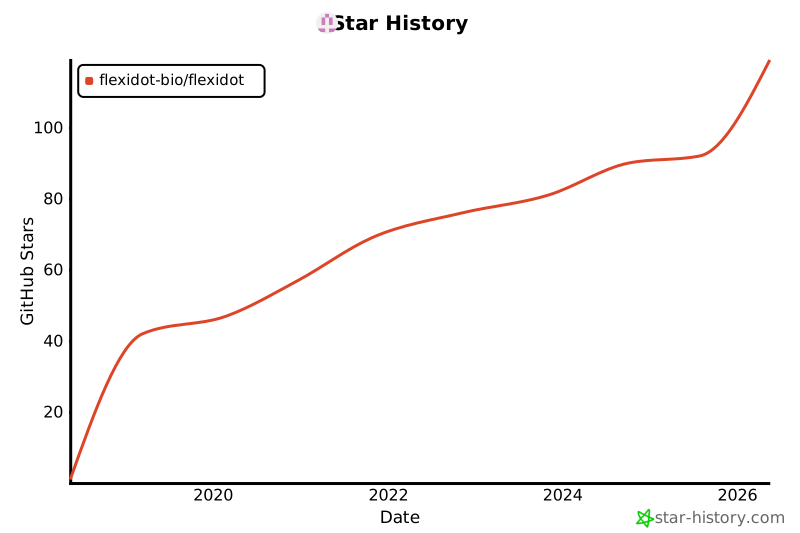
Star History


Download files
Download the file for your platform. If you're not sure which to choose, learn more about installing packages.
Source Distribution
Built Distribution
Filter files by name, interpreter, ABI, and platform.
If you're not sure about the file name format, learn more about wheel file names.
Copy a direct link to the current filters
File details
Details for the file flexidot-2.1.0.tar.gz.
File metadata
- Download URL: flexidot-2.1.0.tar.gz
- Upload date:
- Size: 16.4 MB
- Tags: Source
- Uploaded using Trusted Publishing? No
- Uploaded via: Hatch/1.16.3 cpython/3.12.12 HTTPX/0.28.1
File hashes
| Algorithm | Hash digest | |
|---|---|---|
| SHA256 |
70b6068b58977da6b8742f6ecc4d7aae8c321b37e8467a2c81a157202920efee
|
|
| MD5 |
a468359c9c5ecc2de9467be58d9cebaa
|
|
| BLAKE2b-256 |
cc4e2df480dc9026f67a5482b42ed1ec7eb2b02363d3c68fc76e28fcdb414ca4
|
File details
Details for the file flexidot-2.1.0-py3-none-any.whl.
File metadata
- Download URL: flexidot-2.1.0-py3-none-any.whl
- Upload date:
- Size: 59.7 kB
- Tags: Python 3
- Uploaded using Trusted Publishing? No
- Uploaded via: Hatch/1.16.3 cpython/3.12.12 HTTPX/0.28.1
File hashes
| Algorithm | Hash digest | |
|---|---|---|
| SHA256 |
9fc443efe52b86d79f9d735ce4cf4e1f174881afd5dfbb44aa24f107725ddb92
|
|
| MD5 |
0e79b4553eb156dfa138d79ff6f169cb
|
|
| BLAKE2b-256 |
107f0d96d27dfa039076de03237f9fe8f1773af944d32d87a5a1e926219f1f0f
|






