
Convert markdown to html with TOC(table of contents) and Mermaid diagram support

Project description
MdTree
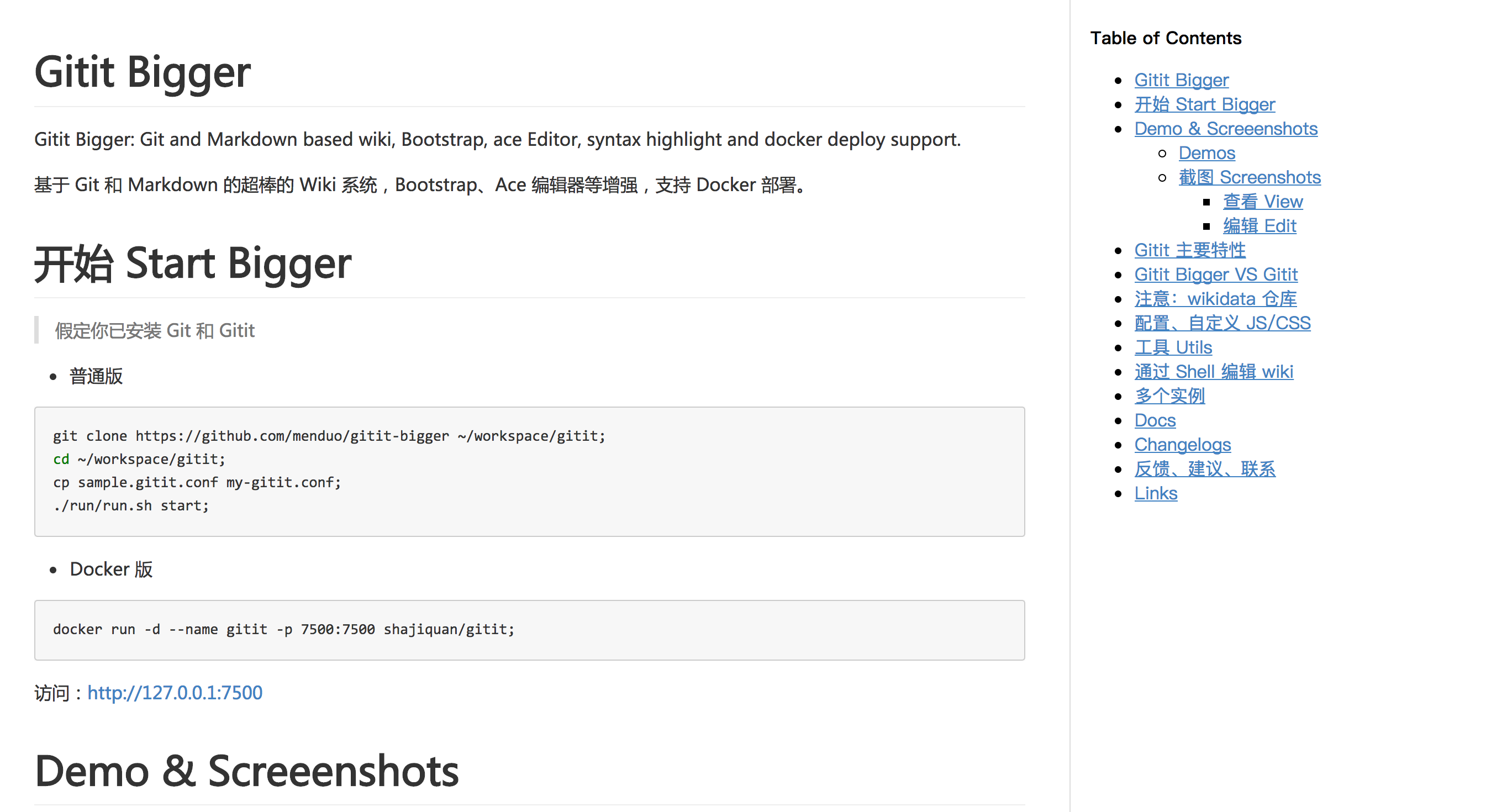
Convert markdown to html with TOC(table of contents) tree and Mermaid diagram support. https://github.com/ltto/mdtree
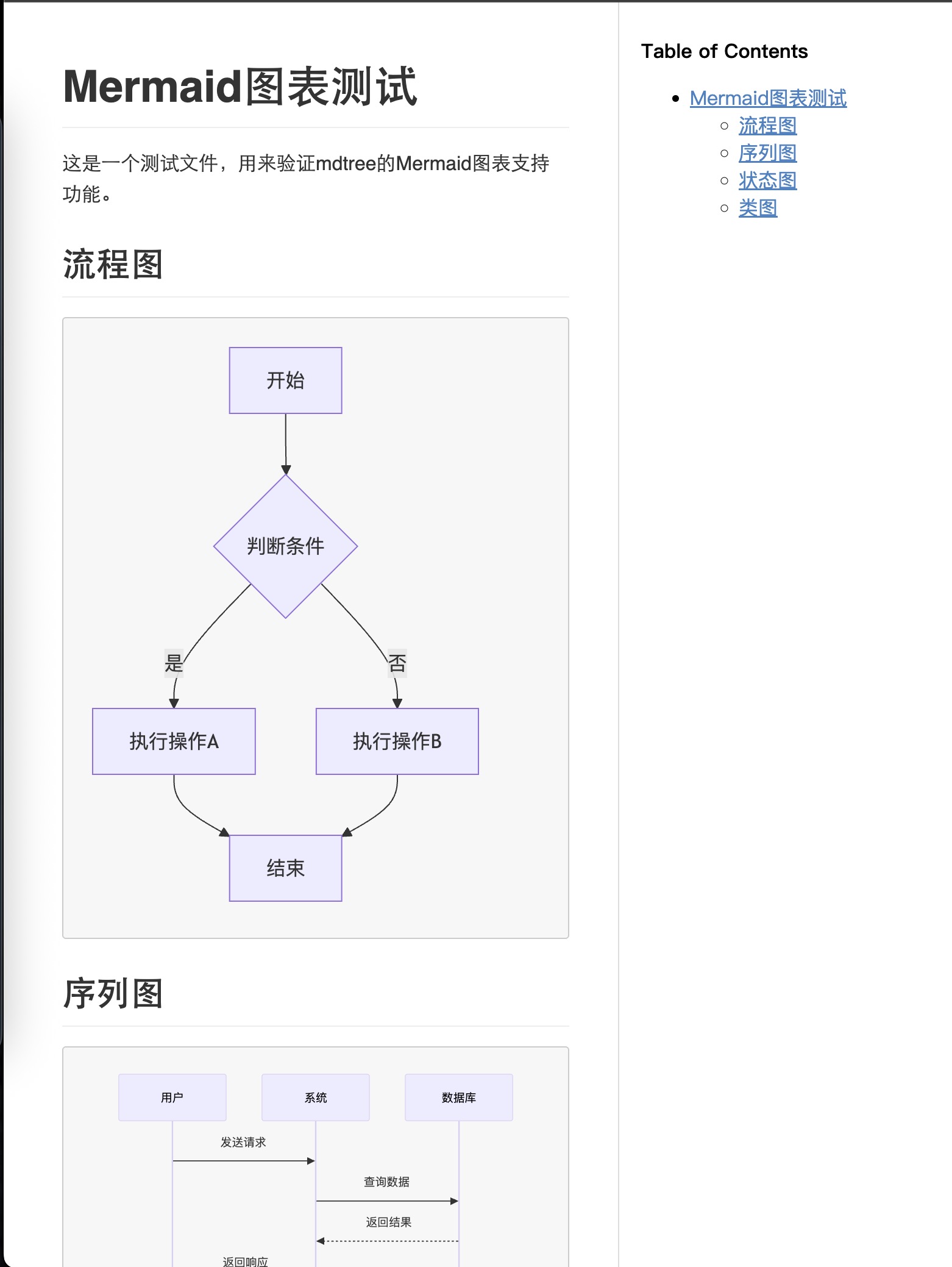
🎉 New in v0.8: Mermaid Diagram Support!
MdTree now supports Mermaid diagrams out of the box! Create beautiful flowcharts, sequence diagrams, state diagrams, and more directly in your Markdown files.
Screenshot
Requirements
- Python 3.7+ (Python 2 is no longer supported)
- Modern dependencies (automatically installed)
Install
pip install -U mdtree
Usage
In Python
from mdtree import MdTree
with open(path_of_md_file) as f:
    md_str = f.read()

mt = MdTree()
html = mt.convert(md_str)
fpath = mt.save_file("/tmp/mdtree.html")

mt = MdTree()
html = mt.convert_file("/tmp/gitit_bigger_readme.md")
In Shell
mdtree /path/of/markdown/file.md > /tmp/mdtree.html
Features
✨ Mermaid Diagram Support
Create beautiful diagrams using Mermaid syntax:
Flowchart
```mermaid
graph TD
    A[Start] --> B{Decision}
    B -->|Yes| C[Action A]
    B -->|No| D[Action B]
    C --> E[End]
    D --> E
Sequence Diagram
```mermaid
sequenceDiagram
    participant User
    participant System
    participant Database

    User->>System: Send Request
    System->>Database: Query Data
    Database-->>System: Return Result
    System-->>User: Send Response
State Diagram
```mermaid
stateDiagram-v2
    [*] --> Idle
    Idle --> Processing: start
    Processing --> Completed: finish
    Processing --> Error: fail
    Error --> Idle: retry
    Completed --> [*]
Class Diagram
```mermaid
classDiagram
    class Animal {
        +String name
        +int age
        +eat()
        +sleep()
    }

    class Dog {
        +String breed
        +bark()
    }

    Animal <|-- Dog
📋 Table of Contents (TOC)
Automatically generates a beautiful sidebar with table of contents based on your document headers.
🎨 Customizable Styling
Add custom CSS and JavaScript to enhance your documents.
Options
to64: convert local image URL to base64. add--to64to shell argument or addto64option to meta area.
Meta Configuration
mdtree allows you to add more things to the html file:
- css
- js
- title
- custom extensions
---
title: Document with Mermaid Diagrams
js:
    https://example.com/custom.js
css:
    https://example.com/custom.css
---

# Your Content Here

```mermaid
graph LR
    A --> B
# Markdown Extensions

By default, these extensions are enabled:

```python
_md_extensions = [
    "markdown.extensions.meta",
    "markdown.extensions.attr_list",
    "markdown.extensions.tables",
    "markdown.extensions.toc",
    "markdown.extensions.fenced_code",
    "markdown.extensions.codehilite",
    "markdown_mermaidjs",  # 🎉 NEW: Mermaid diagram support
]
You can customize them in the meta section:
---
title: Custom Extensions Example
js:
    https://cdn.jsdelivr.net/npm/mermaid@11/dist/mermaid.esm.min.mjs
css:
    https://example.com/custom.css
exts:
    markdown.extensions.wikilinks
    -markdown.extensions.codehilite
---
As you know, markdown.extensions.wikilinks will be added, and -markdown.extensions.codehilite which starts with - will be removed.
The name of the extensions should be the same as https://python-markdown.github.io/extensions/
Supported Mermaid Diagram Types
- 📊 Flowcharts & Graphs -
graph TD,graph LR,flowchart - 🔄 Sequence Diagrams -
sequenceDiagram - 🏛️ State Diagrams -
stateDiagram-v2 - 📐 Class Diagrams -
classDiagram - 🗓️ Gantt Charts -
gantt - 🥧 Pie Charts -
pie - 🧠 Mindmaps -
mindmap - 📈 Git Graphs -
gitgraph - And many more supported by Mermaid.js!
Migration from v0.7
If you're upgrading from v0.7:
- Python 3 Required: Ensure you're using Python 3.7 or higher
- New Dependencies: Run
pip install -U mdtreeto get updated dependencies - Mermaid Support: Your existing documents work as before, plus you can now add Mermaid diagrams!
- Base64 Images: The
--to64feature is temporarily disabled due to API changes but will be restored in a future version
Credits
- Markdown - A Python implementation of John Gruber's Markdown
- markdown-mermaidjs - Mermaid diagram support for Python-Markdown
- Mermaid.js - Generation of diagrams and flowcharts from text
Release history Release notifications | RSS feed

Download files
Download the file for your platform. If you're not sure which to choose, learn more about installing packages.
Source Distribution
Built Distribution
Filter files by name, interpreter, ABI, and platform.
If you're not sure about the file name format, learn more about wheel file names.
Copy a direct link to the current filters
File details
Details for the file mdtree_mermaid-0.8.0.tar.gz.
File metadata
- Download URL: mdtree_mermaid-0.8.0.tar.gz
- Upload date:
- Size: 340.5 kB
- Tags: Source
- Uploaded using Trusted Publishing? No
- Uploaded via: twine/6.1.0 CPython/3.13.4
File hashes
| Algorithm | Hash digest | |
|---|---|---|
| SHA256 |
ae427cbfca05f03dc1125418f46f02f477650437ce0f575e8c91ee1931e7702e
|
|
| MD5 |
a85aae009ae4c0678994d9a85c0b2917
|
|
| BLAKE2b-256 |
3fc46ee6bd443260508475a3f9e232bb08d50c73f48ccdf8b02a8439b9290074
|
File details
Details for the file mdtree_mermaid-0.8.0-py3-none-any.whl.
File metadata
- Download URL: mdtree_mermaid-0.8.0-py3-none-any.whl
- Upload date:
- Size: 21.2 kB
- Tags: Python 3
- Uploaded using Trusted Publishing? No
- Uploaded via: twine/6.1.0 CPython/3.13.4
File hashes
| Algorithm | Hash digest | |
|---|---|---|
| SHA256 |
12f125c05e124b40abd37831eea95d6640b1e40947dbb0264b53c9b7bdf79676
|
|
| MD5 |
99addeb511847368f1c7bf2e0268caef
|
|
| BLAKE2b-256 |
d37f62f3daca1f7f990f96112d107a681e4f50f171b2892d603e93f0178a9dff
|






