
Parse incomplete or partial json

Project description
PartialJson

Parse Partial and incomplete JSON in python
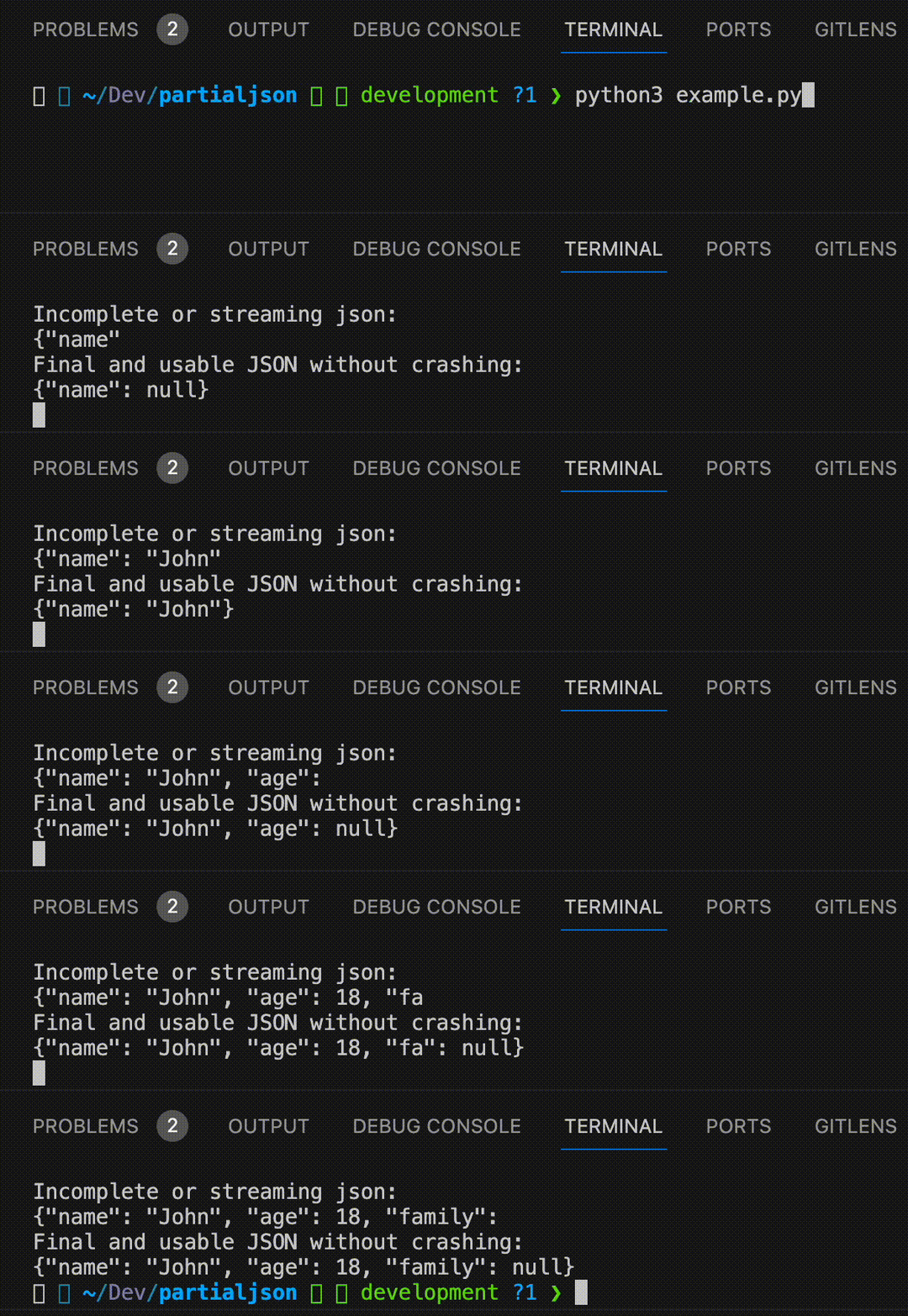
Parse Partial and incomplete JSON in python with just 3 lines of python code.



Example
from partialjson import JSONParser
parser = JSONParser()

incomplete_json = '{"name": "John Doe", "age": 30, "is_student": false, "courses": ["Math", "Science"'
print(parser.parse(incomplete_json))
# {'name': 'John Doe', 'age': 30, 'is_student': False, 'courses': ['Math', 'Science']}
Problem with \n? Use strict=False:
from partialjson import JSONParser
parser = JSONParser(strict=False)

incomplete_json = '{"name": "John\nDoe", "age": 30, "is_student": false, "courses": ["Math", "Science"'
print(parser.parse(incomplete_json))
# {'name': 'John\nDoe', 'age': 30, 'is_student': False, 'courses': ['Math', 'Science']}
JSON5 support
Use create_json5_parser or JSONParser(json5_enabled=True) for JSON5 (comments, unquoted keys, single quotes, etc.):
from partialjson import create_json5_parser
parser = create_json5_parser()

incomplete_json5 = '{name: "Demo", version: 1.0, items: [1, 2, 3,]'
print(parser.parse(incomplete_json5))
# {'name': 'Demo', 'version': 1.0, 'items': [1, 2, 3]}
Install the optional json5 dependency for full JSON5 support: pip install partialjson[json5]
Installation
$ pip install partialjson
Also can be found on pypi
How can I use it?
- Install the package by pip package manager.
- After installing, you can use it and call the library.
Testing
pip install -e .
pip install -r requirements-dev.txt
pytest -q
Citation
If you use this software, please cite it using the metadata in CITATION.cff.
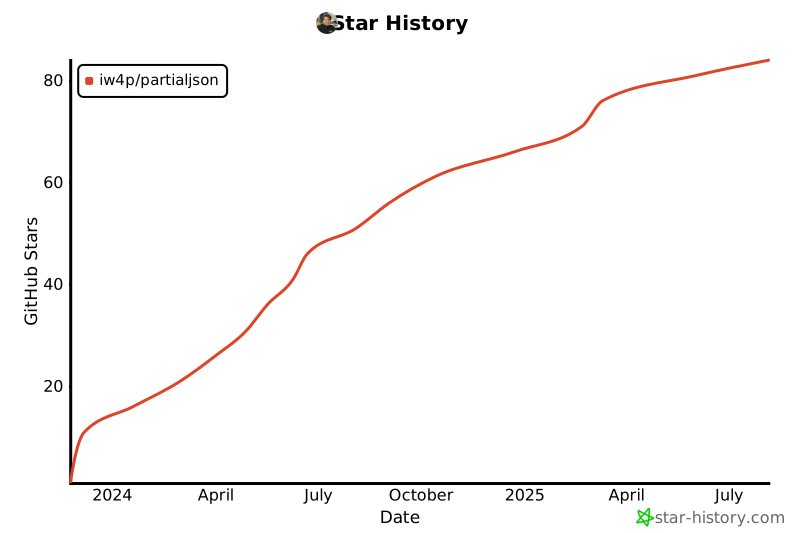
Star History
Issues
Feel free to submit issues and enhancement requests or contact me via vida.page/nima.
Contributing
Please refer to each project's style and contribution guidelines for submitting patches and additions. In general, we follow the "fork-and-pull" Git workflow.
- Fork the repo on GitHub
- Clone the project to your own machine
- Update the Version inside init.py
- Commit changes to your own branch
- Push your work back up to your fork
- Submit a Pull request so that we can review your changes
Release history Release notifications | RSS feed


Download files
Download the file for your platform. If you're not sure which to choose, learn more about installing packages.
Source Distribution
Built Distribution
Filter files by name, interpreter, ABI, and platform.
If you're not sure about the file name format, learn more about wheel file names.
Copy a direct link to the current filters
File details
Details for the file partialjson-1.1.0.tar.gz.
File metadata
- Download URL: partialjson-1.1.0.tar.gz
- Upload date:
- Size: 7.7 kB
- Tags: Source
- Uploaded using Trusted Publishing? No
- Uploaded via: twine/6.1.0 CPython/3.13.7
File hashes
| Algorithm | Hash digest | |
|---|---|---|
| SHA256 |
733e540b91e8d9bb6b0d29caf02a4e67e213103d40e25c5f6d16401db3f6ede2
|
|
| MD5 |
85d23ae52e79afef31a40e6c170698ff
|
|
| BLAKE2b-256 |
232eb2e97a95187e3eeb61b4b9e03f73a08db00650b5b8837c2dff673f6efc4e
|
File details
Details for the file partialjson-1.1.0-py3-none-any.whl.
File metadata
- Download URL: partialjson-1.1.0-py3-none-any.whl
- Upload date:
- Size: 7.8 kB
- Tags: Python 3
- Uploaded using Trusted Publishing? No
- Uploaded via: twine/6.1.0 CPython/3.13.7
File hashes
| Algorithm | Hash digest | |
|---|---|---|
| SHA256 |
380891bf2f4ae05094839c27dceec9b51db02aabeb46b9a2acef3d63755ddcea
|
|
| MD5 |
ef8aee9560dbd52123b1348b6ec6ab5a
|
|
| BLAKE2b-256 |
0d6aaa92a6d028a242c78c26656b0ffb5e3cb037235d7a1fe3c4c3a32960452e
|






