
Store and visualize attention weights for Visual Transformers.

Project description
visTvis
Store and visualize attention weights from Vision Transformers in a model-agnostic way. The package ships two decorators:
@visTvis_storesaves a return value tensor to disk with a predictable folder layout.@visTvis_layer_counterinjects an int-like counter that keeps track of which layer is currently active so saved files end up in the right slot.- Visualization helpers overlay attention on input frames and stack results into PDFs.
Installation
pip install vistvis
For local development in this repo:
make install
Quick start
Decorate the attention routine you want to log and point it to a base directory:
from vistvis import visTvis_store


@visTvis_store(base_folder_path="./runs", identifier="demo", file_name="attn.pt", folder_name="attn")
def attn_func(attn_weight):
    # ... compute attn_weight ...
    return attn_weight
Next, wrap the function that calls your attention blocks so it receives a LayerCounter. The counter behaves like an int (supports indexing, comparisons, += 1, etc.) and updates the visTvis layer state on every mutation:
from vistvis import visTvis_layer_counter


@visTvis_layer_counter(identifier="demo", var_name="layer_idx")
def run_blocks(blocks, inputs, layer_idx=0):
    for block in blocks:
        attn_weight = block(inputs)
        attn_func(attn_weight)  # stored under runs/demo/attn/layer_<idx>/attn.pt
        layer_idx += 1  # updates the visTvis layer state
    return int(layer_idx)
During runtime each call to attn_func will save attn_weight under:
<base_folder_path>/<identifier>/<folder_name>/layer_<layer_idx>/<file_name>
By default the layer counter starts at zero and persists between calls for the same identifier. If you need manual control you can use from vistvis import state and call state.update(identifier, value) before invoking decorated functions.
Visualize saved attention
Save attention under attn/ and inputs under input/ so the helpers can discover them:
from vistvis import AttentionPath, run_overlay_for_reconstruction, plot_attention_for_reconstruction, StaticMetadata

paths = AttentionPath(base_dir="./runs", experiment_name="demo")
metadata = StaticMetadata(patch_size=16, num_special_tokens=0)  # or set env VIS_TVIS_METADATA_PATH to a YAML file

run_overlay_for_reconstruction(
    paths,
    query_frame_idx=0,
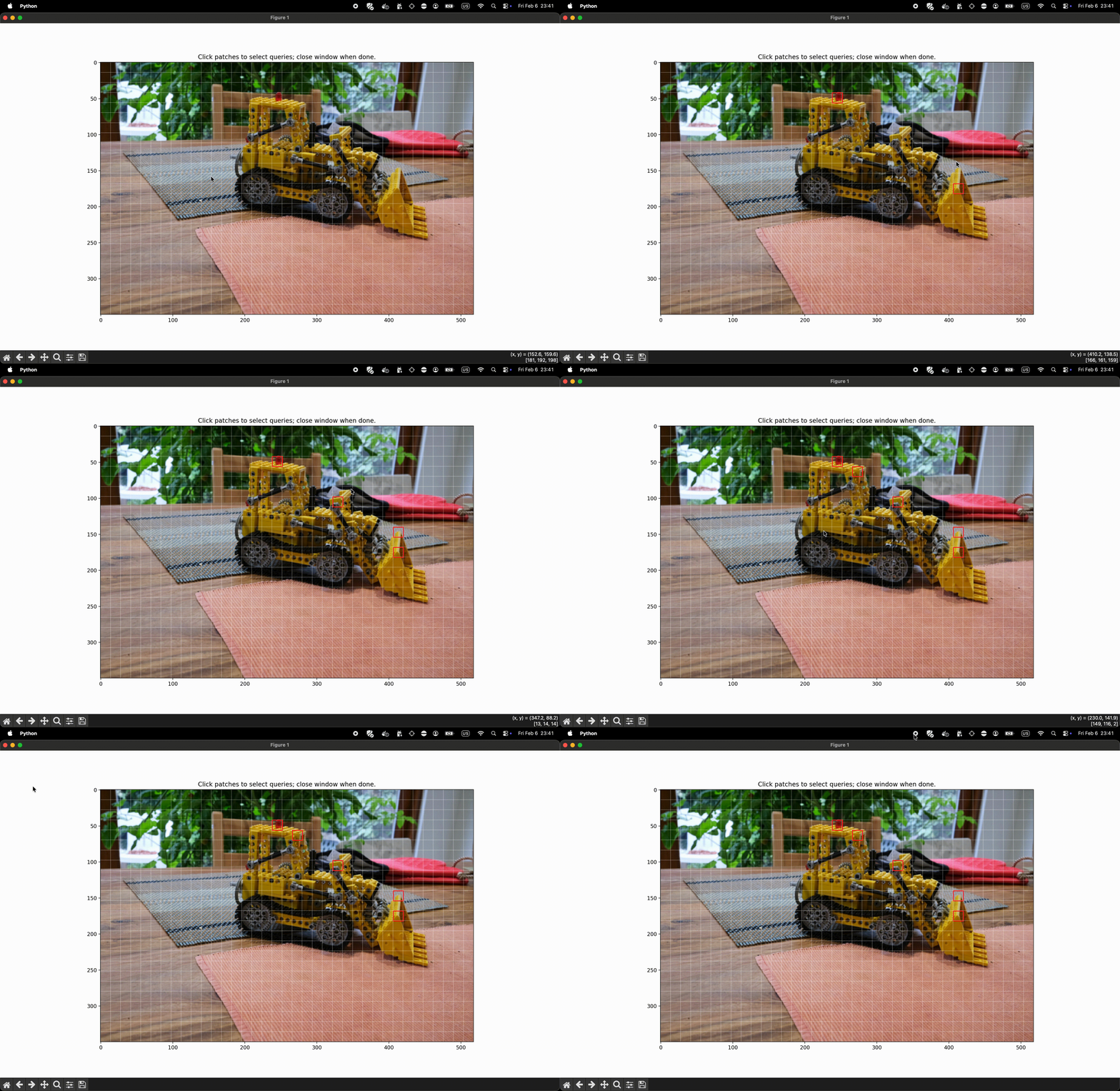
    query_idx=0,  # or "interactive" to select via GUI
    key_frame_idx=0,
    head="mean",  # or int / "all"
    output_path="./overlays_demo",
    metadata=metadata,
)

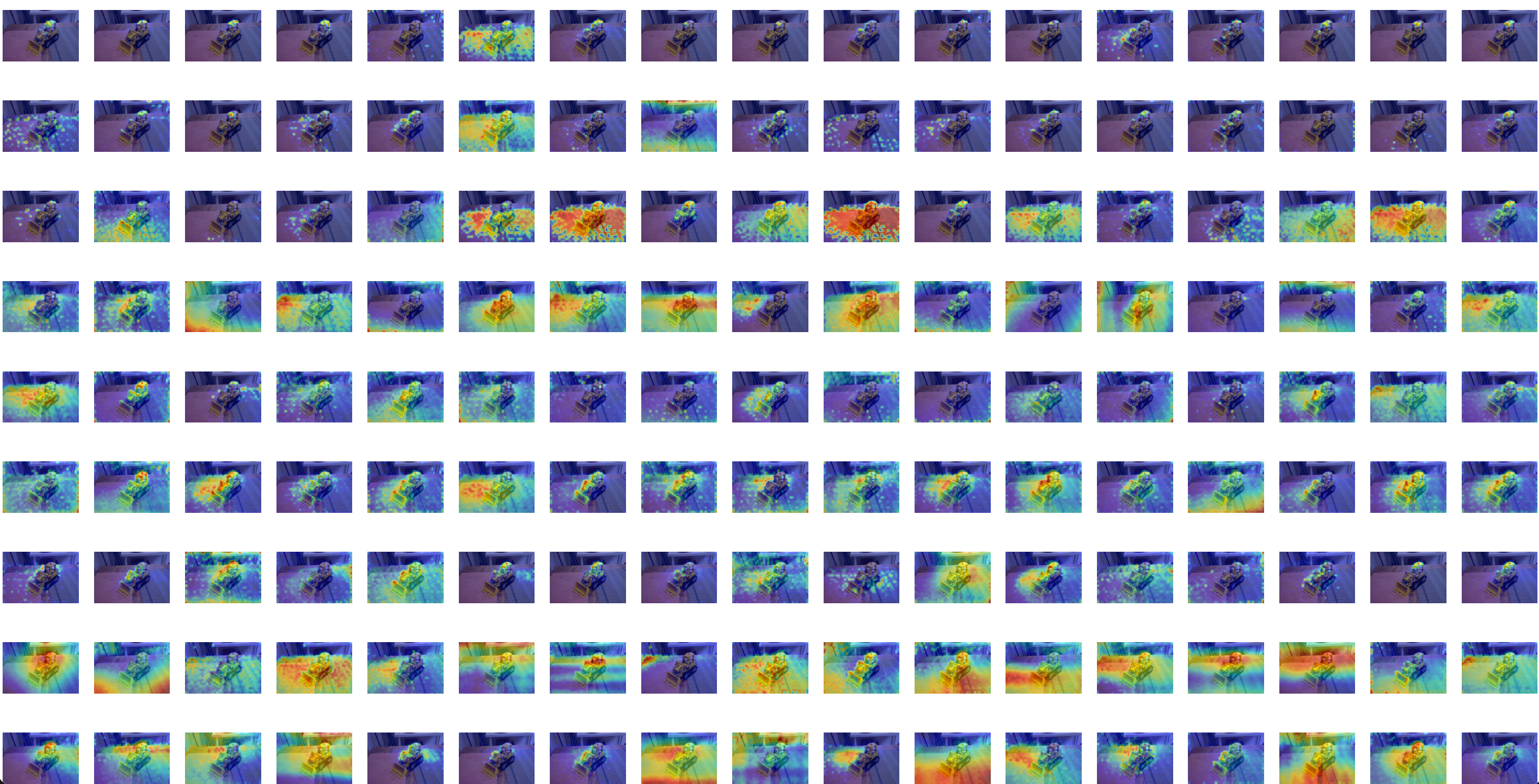
plot_attention_for_reconstruction("./overlays_demo")
Demo
Choose Query Patches Interactively from frame N
Get per-layer-head attention overlays on frame M
Publishing
- Update
pyproject.tomlmetadata. - Build and upload with
python -m buildfollowed bytwine upload dist/*.
Release history Release notifications | RSS feed


Download files
Download the file for your platform. If you're not sure which to choose, learn more about installing packages.
Source Distribution
Built Distribution
Filter files by name, interpreter, ABI, and platform.
If you're not sure about the file name format, learn more about wheel file names.
Copy a direct link to the current filters
File details
Details for the file vistvis-0.1.1.tar.gz.
File metadata
- Download URL: vistvis-0.1.1.tar.gz
- Upload date:
- Size: 15.9 kB
- Tags: Source
- Uploaded using Trusted Publishing? No
- Uploaded via: twine/6.2.0 CPython/3.10.11
File hashes
| Algorithm | Hash digest | |
|---|---|---|
| SHA256 |
a9286dd9c0ea53d59775e24e972925d9ab21ea34fe51ba3840d0e096b5e54c8a
|
|
| MD5 |
680507b7722c71d8317dfc718d7c4fbd
|
|
| BLAKE2b-256 |
4e8137ecc333bac9307ed2b1a6b4a619a9c84c5fe7a3b7b326cd940d33213594
|
File details
Details for the file vistvis-0.1.1-py3-none-any.whl.
File metadata
- Download URL: vistvis-0.1.1-py3-none-any.whl
- Upload date:
- Size: 17.4 kB
- Tags: Python 3
- Uploaded using Trusted Publishing? No
- Uploaded via: twine/6.2.0 CPython/3.10.11
File hashes
| Algorithm | Hash digest | |
|---|---|---|
| SHA256 |
e293ab5897fa58b4ed47664b3a2f9bf0ce1c175f6d31f7a2a80fe68c9da579fa
|
|
| MD5 |
30407a2506143a56b141818f75f7324e
|
|
| BLAKE2b-256 |
5e52f1feedb8477dd490900970ebaed6cfef61eec582a86a5cebace6ab3c3955
|






